Engagement Notifications and Unified Direct Messages
Review comments and direct messages in one place, and handle them manually or with AI-assisted replies while keeping the context intact.
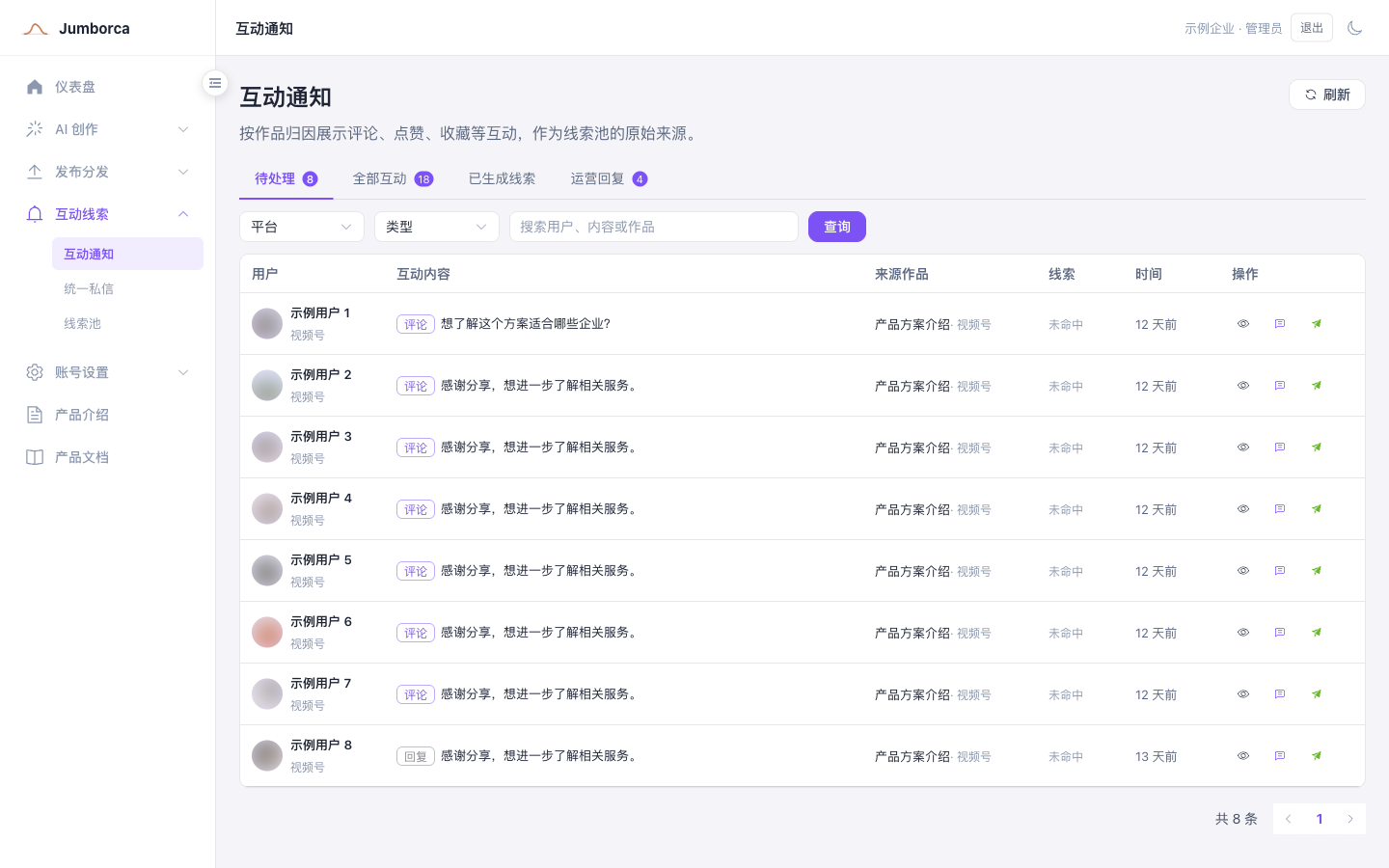
Engagement Notifications
Engagement notifications show events such as comments, replies, likes, and saves, attributed to the post they came from, and they are where you generate leads and start replying to comments. Before you handle an item, verify the source platform, account, post, and original content so that you do not reply under the wrong identity.
Pending, All Engagement, Leads Generated, and Operator Replies are different working views. Switching the platform, type, or keyword filter does not delete data; once an item is handled, its record moves into the matching status view.
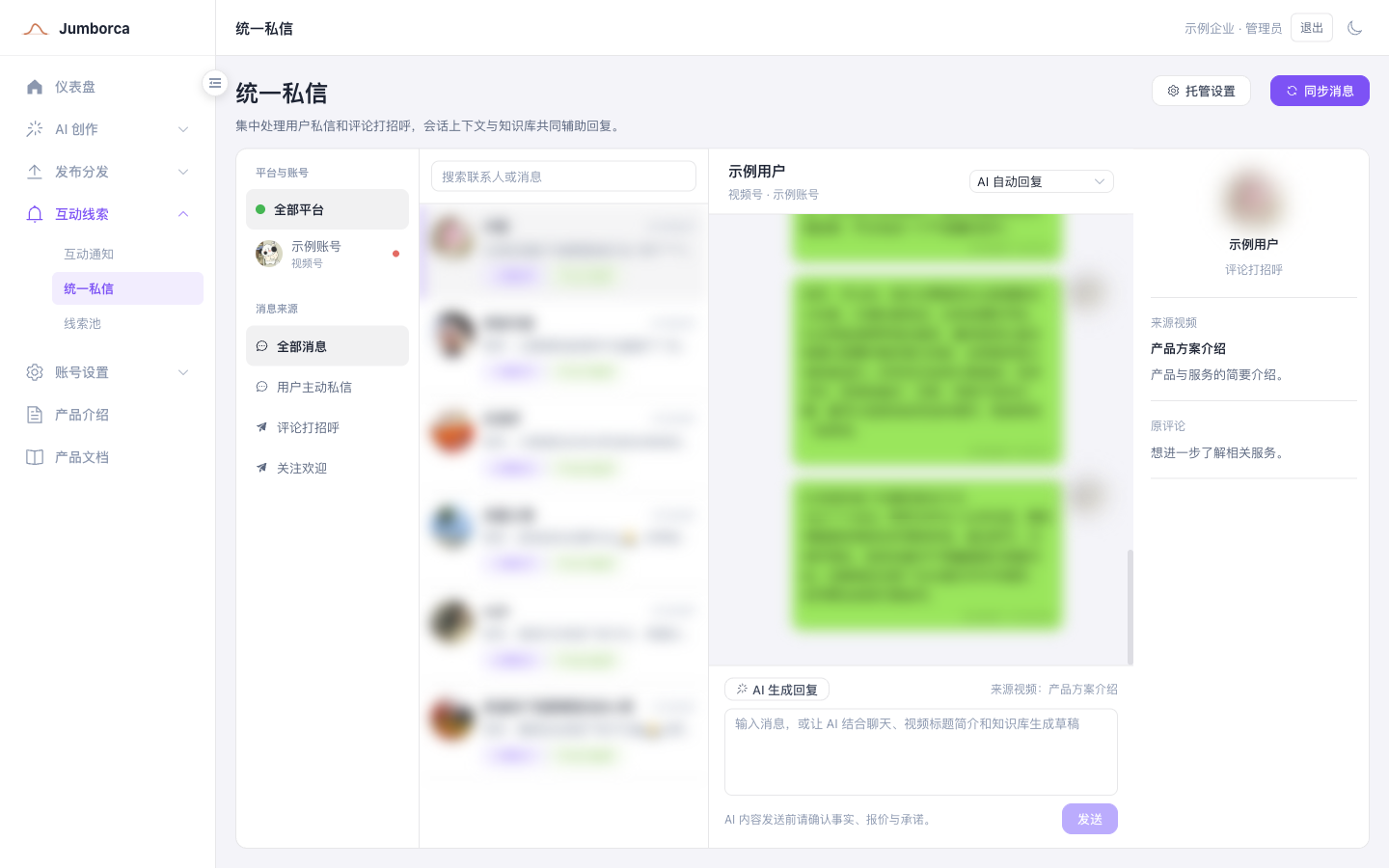
Unified Direct Messages
Unified direct messages are isolated by platform account first, then organized into conversations by user and message source. Select the platform account and source type on the left, pick a contact in the middle, and handle messages on the right. Comment outreach keeps both the source post and the original comment, so you can judge the context.
Message sync only pulls from accounts that are currently connected, active, and supported by the platform. Once an account is logged out or disconnected, new messages must not continue to be monitored. After you log back in with the same platform identity, the conversations must be restored to the original account.
AI-generated replies draw on the current conversation, the source post, brand materials, and the available knowledge base. Configure clear boundaries before you turn on automatic AI replies. High-risk or low-confidence content, and anything involving pricing, contracts, or commitments, must go to a person for confirmation.
Reply Guidelines
- Answer the user's current question first, then guide them to the next step.
- Never ask for personal information that is unrelated to the business.
- Hand sensitive questions about pricing, contracts, refunds, medical matters, and legal matters to a person.
- Pause sending when an account is in an abnormal state, and restore the platform login first.