Lead Pool and Follow-Up
Capture the potential customers in your comments and direct messages into the lead pool, and record intent, status, and follow-up.
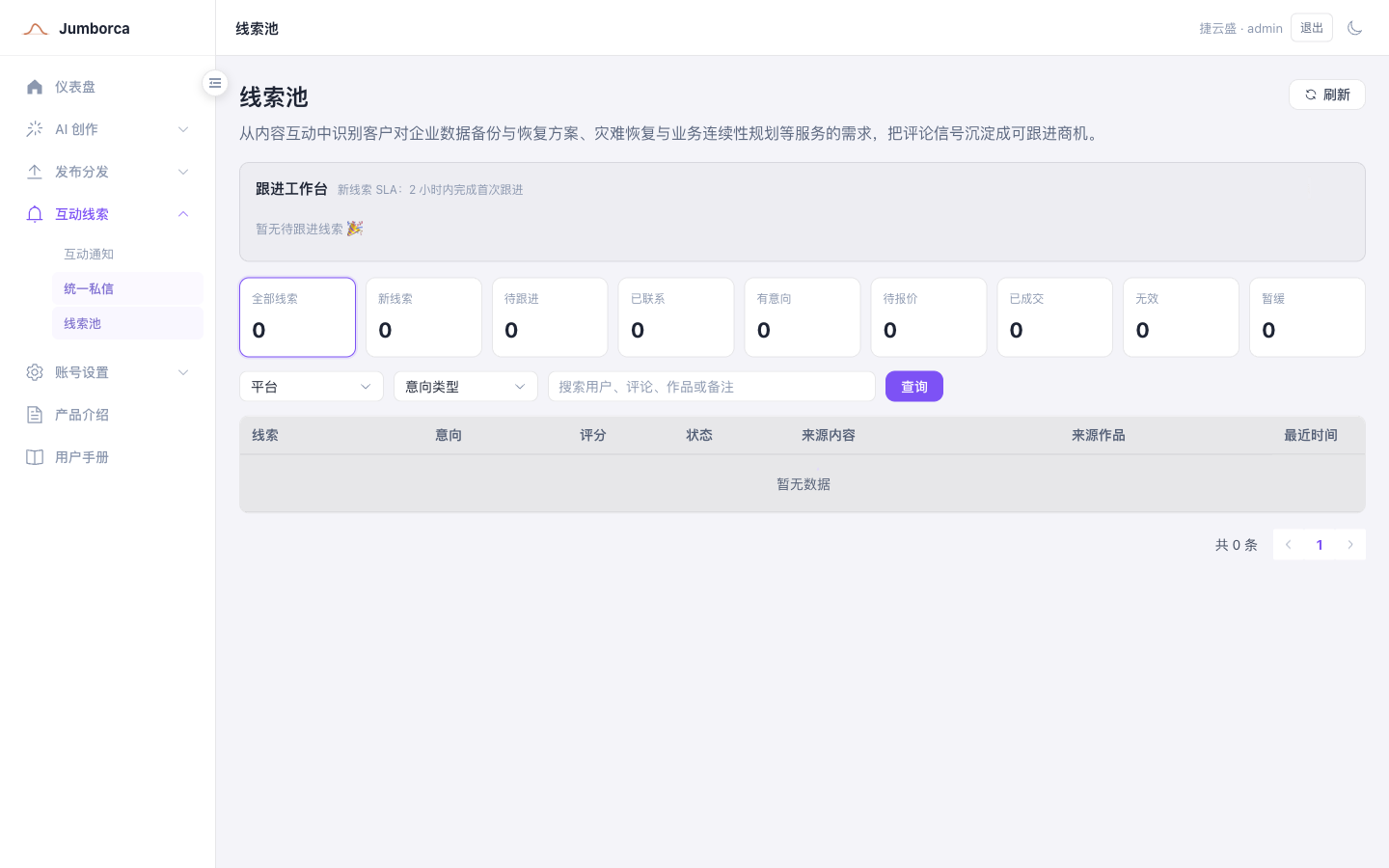
Where Leads Come From
A lead can be generated when a comment or direct message matches a rule, or confirmed manually by an operator in the engagement details. The system keeps the source platform account, source post, original content, intent type, and score, so sales and support can understand why the user became a lead.
The score is used for ranking and as an aid to judgment; it does not mean the user has agreed to buy. High-scoring leads still need a person to verify the real need, the contact details, and the willingness to talk. Pure emoji, small talk, or irrelevant content can be marked as invalid.
Follow-Up Workflow
- Review the user's original engagement, the related post, and the intent score.
- Confirm whether it is a real business opportunity, and add an owner and notes.
- Update the status to New, To Follow Up, Interested, Closed-Won, or another status according to your team's rules.
- Record key conversations and the time of the next step, so the same person is not contacted twice.
Tenant administrators can view leads by member and across the team; regular members must only access the content assigned to them or that they are authorized to see. Before you assign an owner, confirm that the member is still in the current tenant and that the responsibility matches.
Privacy Requirements
Store only the information that is necessary for business follow-up. Before you export, share, or delete leads, you must comply with your company's internal policies and the applicable data protection requirements.