Publishing Videos and Image Posts
Select accounts and assets, configure the fields for each platform, review the preview, and then create a publishing task.
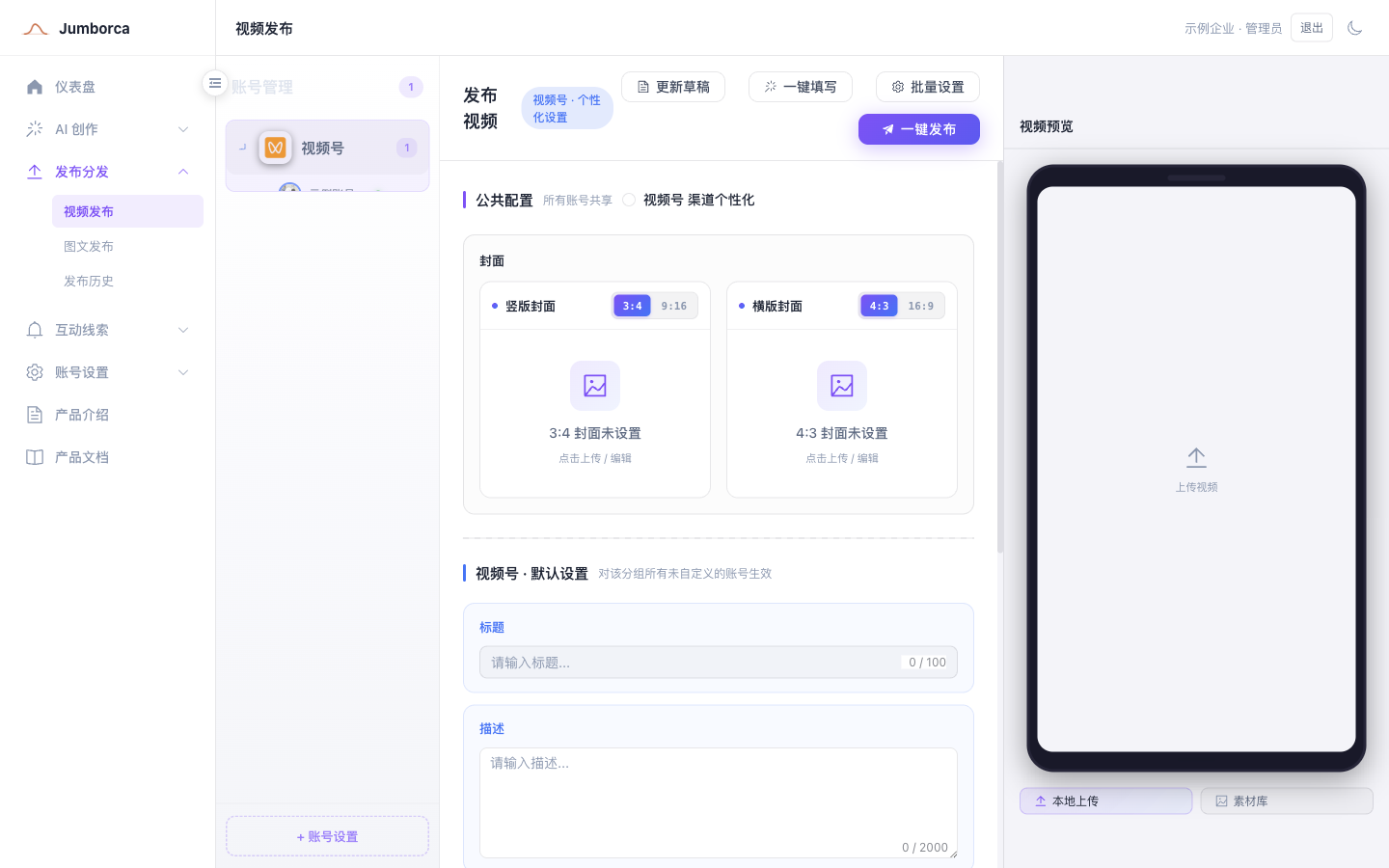
Publishing Workflow
- Select one or more platform accounts that are active.
- Select videos, images, and a cover image from your local files or the asset library.
- Fill in the shared content, then check the title, description, hashtags, declarations, category, and scheduling settings for each platform one by one.
- Review the preview and run the pre-publish checks.
- Once everything is correct, create the publishing task and check the results in publishing history or the task center.
Platform Differences
Platforms differ in their requirements for title length, number of images, aspect ratio, category, original-content declaration, AI content labeling, repost source, and scheduled time. Shared configuration lets you fill in multiple accounts quickly. Platform-level or account-level custom settings override the shared content, so confirm each platform individually even after a bulk setup.
Clicking One-Click Publish creates an execution task; it does not mean the content is already publicly visible on every platform. Third-party platforms may still transcode, review, or reject the content, so treat the per-account details in publishing history and the platform's own pages as the authoritative final result.
Confirm Before You Submit
- The account identity and target brand are correct.
- Assets are clear and meet the platform's size and duration limits.
- Copy, cover image, hashtags, and declarations are complete.
- The scheduled time uses the correct time zone and falls within the range the platform allows.
- There are no duplicate tasks and no failed tasks still waiting to be handled.